Drag files in File Explorer and press a key. The wheel only shows options that fit what you are holding. Every result is a new file next to the original, made on your PC.
Images
Photos, screenshots and scans. HEIC and AVIF open through Windows itself.
Shift Convert
JPG, PNG, WebPGet the format a website or app asks for.
PDFTurn a picture into a PDF you can send or print.
ICO, BMP, TIFF, GIFMake an icon or an older format when a program needs it.
HEIC and AVIF inOpen iPhone photos and convert them to JPG or PNG.
Ctrl Tools
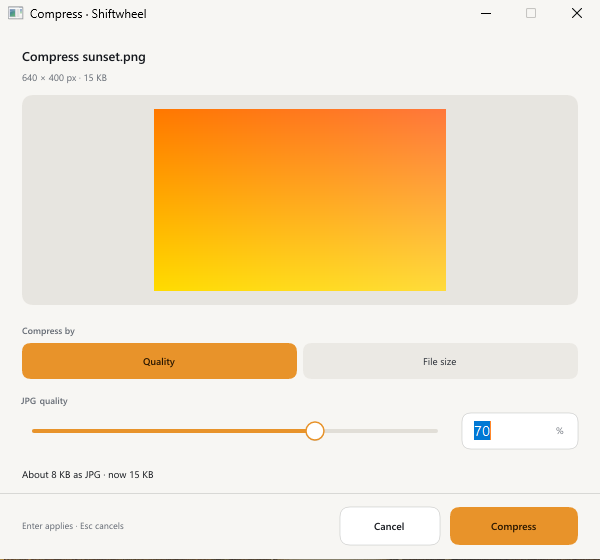
CompressPick a quality preset, or keep the file under a size in KB or MB.
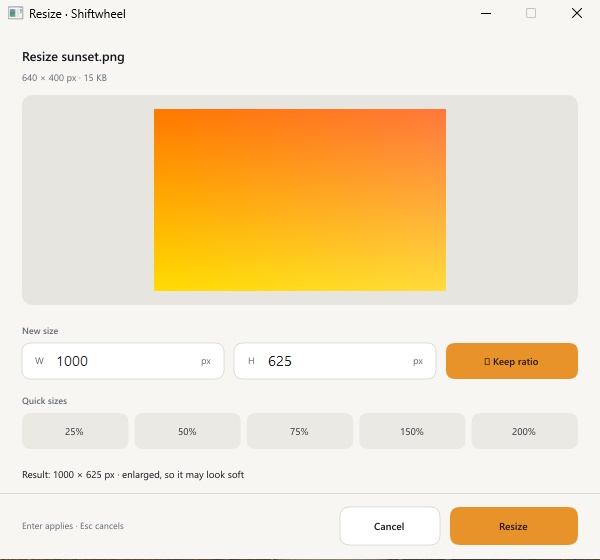
ResizeMake a large photo smaller in pixels.
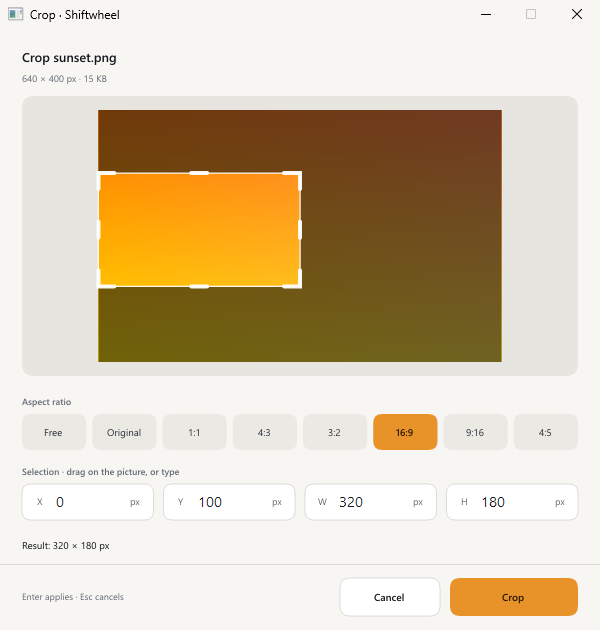
CropCut to a ratio such as 1:1 or 16:9, or draw your own box.
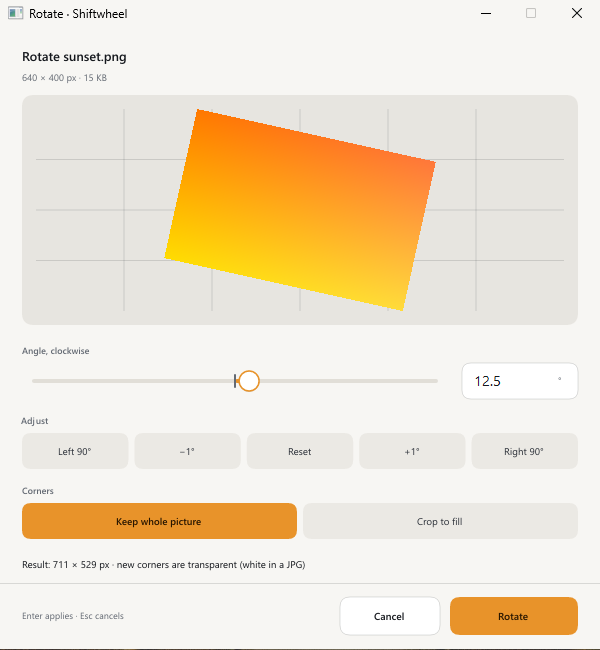
Rotate and straightenTurn by 90 degrees or by any angle to level a crooked photo.
Remove metadataStrip camera, date and location details before you share.
Copy textReads the text in a picture on your PC, saves it as a .txt and copies it.
One PDFCombine several images into a single PDF, in order.
ZipPack a selection into one ZIP file.
HEIC and AVIF need Microsoft's free image extensions from the Microsoft Store.
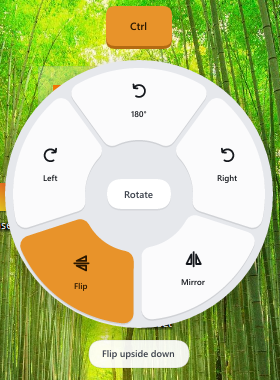
The Ctrl wheel for images
PDF
Turn a PDF into something else, or work on the document itself.
Shift Convert
Pages to PNG or JPGSave every page as an image.
Text to TXTPull the text out into a plain text file.
Ctrl Tools
CompressMake a PDF smaller for email or a form upload.
RotateFix pages that were scanned sideways or upside down.
SplitBreak one PDF into smaller files.
Pick and reorder pagesKeep only the pages you need, in the order you want.
MergeJoin two or more PDFs into one.
Remove metadataClear the author and other details stored in the file.
ZipPack the PDFs into one ZIP file.
The Ctrl wheel for a PDF
Video
Clips from a phone, a camera or a screen recording. Windows' own media engine does the work.
Shift Convert
MP4A video format almost everything can play.
GIFA short loop for a chat or a document.
MP3, M4A, WAVKeep only the sound from a video.
Ctrl Tools
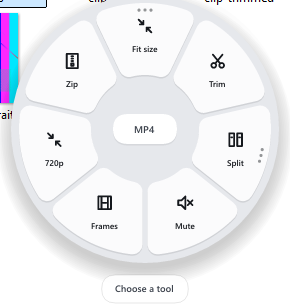
Fit sizeUnder 10, 25, 50 or 100 MB, or any size you type.
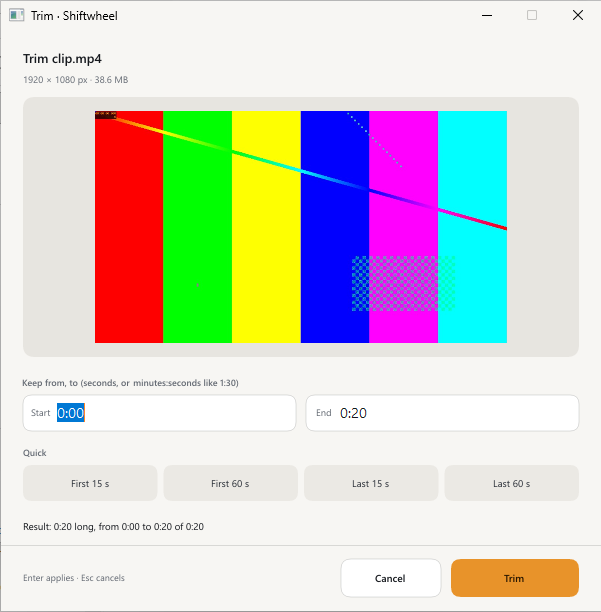
TrimType a start and end time and keep that part.
SplitCut a long clip into 2, 3 or 4 equal parts.
MuteRemove the sound track.
JoinPut two or more videos together into one MP4.
Save framesOne PNG for each second, for up to 2 minutes of video.
720pLower the resolution to make the file smaller.
ZipPack the clips into one ZIP file.
iPhone (HEVC) video needs Microsoft's HEVC Video Extensions. Windows N editions need the Media Feature Pack.
The Ctrl wheel for a video. Join appears when you hold two or more.
Audio
Voice notes, recordings and music files.
Shift Convert
MP3, M4A, WAVChange the format so a player or website accepts it.
Ctrl Tools
TrimKeep only the part you need.
ZipPack the files into one ZIP file.
The Shift wheel for audio
Files and folders
Archives, folders and any other file.
Ctrl Tools
ExtractUnpack ZIP, TAR, TAR.GZ and GZ archives safely, next to the archive.
ZipPack any folder or selection into one ZIP file.
The Ctrl wheel for an archive
Actions for any file or folder
Press Alt mid-drag for everyday file moves.
Alt Actions
CopyCopy the files to the clipboard.
Copy pathCopy the full path as text.
Open terminal hereOpen a terminal in that folder.
Move toMove the files to another folder.
Copy toCopy the files to another folder.
Show in ExplorerOpen the folder with the files selected.
The Alt wheel for a folder
By key
The same three keys work for every file type.
ShiftConvert
Change the format. The result is a new file next to the original.
Images
JPG, PNG, WebP · PDF · ICO, BMP, TIFF, GIF · HEIC and AVIF in
PDF
Pages to PNG or JPG · Text to TXT
Video
MP4 · GIF · MP3, M4A, WAV
Audio
MP3, M4A, WAV
CtrlTools
Work on the file itself. The original stays as it was.
Images
Compress · Resize · Crop · Rotate and straighten · Remove metadata · Copy text · One PDF · Zip
PDF
Compress · Rotate · Split · Pick and reorder pages · Merge · Remove metadata · Zip
Video
Fit size · Trim · Split · Mute · Join · Save frames · 720p · Zip
Audio
Trim · Zip
Files and folders
Extract · Zip
AltActions
Do something with the files you are holding.
Anything
Copy · Copy path · Open terminal here · Move to · Copy to · Show in Explorer
Sub-wheels and Custom
A segment with three dots has more settings. Rest on it and a second ring opens. Choose Custom for a small window with a preview and exact numbers.
Compress
Quality presets, or keep an image under a target size in KB or MB
Crop
Common ratios, or draw a box
Rotate
Preset turns, or any angle to straighten
Fit size
Under 10, 25, 50 or 100 MB, or type any size
Trim
Type a start and end time
Split
2, 3 or 4 equal parts
Crop Draw a box or type X, Y, width and height.Resize Exact width and height in pixels.Compress A quality slider with the estimated size.Rotate Any angle to straighten a photo.Trim Start and end times, or a quick option.Sub-wheel Rotate presets on Windows 11.
Progress for long jobs
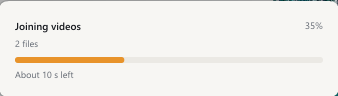
Big videos and PDFs take time. A small card above the tray shows a bar, the percentage and the time left.
The progress card while two clips are joined
Local, and safe for originals
Everything runs on your PC. Nothing is uploaded.
The original file is never changed.
No codecs are bundled. Windows' own engines handle HEIC, AVIF, PDF pages, video and audio.
Archives are extracted safely, next to the archive.
Try it for 14 days
Every feature is in the trial. After that, one US$19 licence covers up to 3 of your PCs.